AI perfume ad from one photo and one prompt: a 15-second film in under five minutes
A single product photo became a three-shot perfume film in under five minutes. That includes creating the canvas through Visuall AI MCP, uploading the photo, running the workflow and stitching the final video.
We wanted to showcase what you can create in just five minutes with Visuall AI: take one product photo, build a complete workflow and turn it into a finished film.
- End to end
- < 5 min
- Product input
- 1 photo
- Finished film
- 15.5 sec
The starting point
One bottle. One reference.
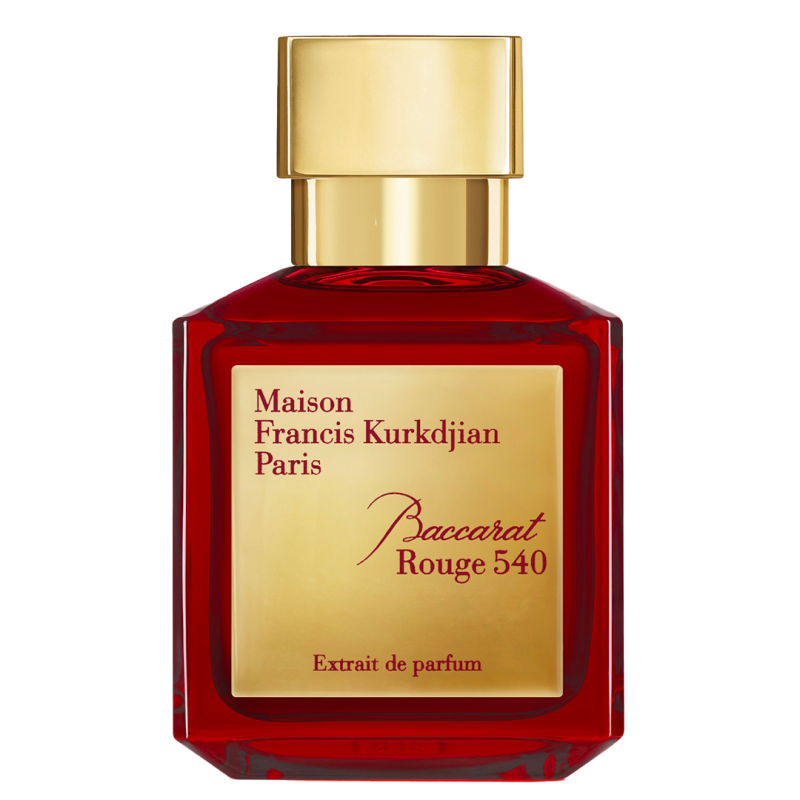
We used this photo of Baccarat Rouge 540 Extrait de parfum as the product reference for all three shots. The brief called for charcoal backgrounds, warm highlights and controlled reflections, with the bottle and its branding kept consistent.
A prompt built the canvas
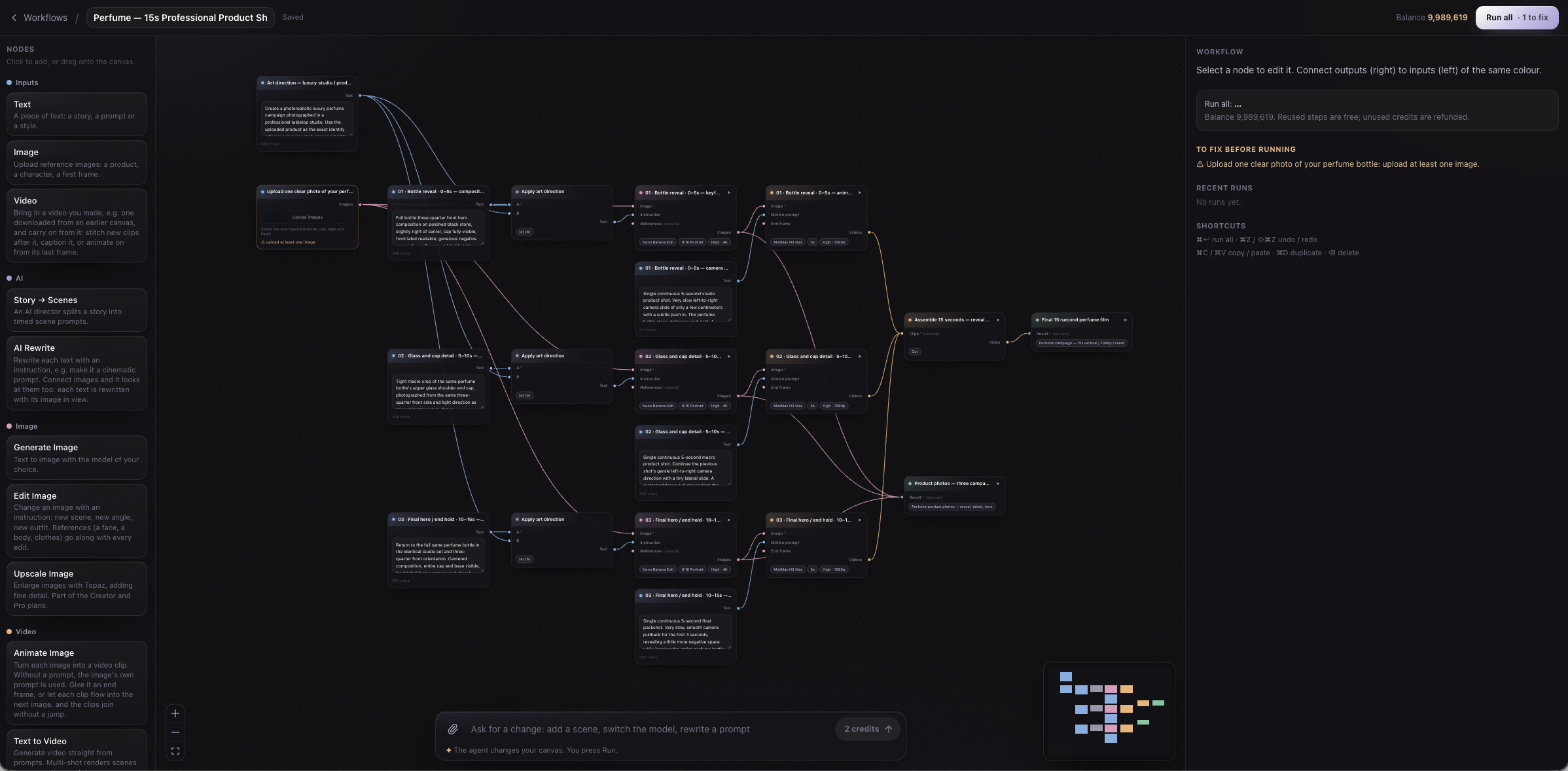
We asked Codex GPT Astra to build an end-to-end workflow for a professional 15-second perfume shoot using the  Visuall MCP, and to leave it ready to run. Codex created and connected the boxes for art direction, shot composition, camera motion, image generation, animation and final assembly.
Build a complete canvas for a professional 15-second perfume product shoot. Create the workflow, but don’t run it yet.
Start prompt
Under the hood: what MCP actually did
MCP (Model Context Protocol) lets an AI assistant call Visuall’s tools directly. In this session, the assistant translated the brief into structured tool calls that built a workflow graph: 20 boxes linked by 25 connections.
| MCP tool | What it did in this test |
|---|---|
list_box_types | Read the available boxes, input/output ports, model IDs and allowed settings before building. |
create_canvas | Created an empty canvas and returned its ID and editable Visuall link. |
edit_canvas | Added the prompts, model settings and all connections in one validated batch. |
The same product image fed three Edit Image boxes. Each received a shot prompt combined with the shared art direction. Their outputs fed three Animate Image boxes, configured for five seconds, high quality and no sound. Each clip connected to Stitch Videos, then to the final Output.
MCP handled the setup; we uploaded the photo and started the run in Visuall. Visuall executed the image and video models and assembled the result. Later, the assistant used get_canvas and get_run to inspect progress and confirm completion.
Upload, run, assemble
We uploaded the photo and ran the canvas. Nano Banana Edit made three keyframes, and MiniMax H3 Max animated each one into a five-second clip. The three shots followed a simple sequence:
| Time | Shot | Planned camera movement |
|---|---|---|
| 0–5 s | The reveal | Full bottle, slow lateral slide and a gentle push in. |
| 5–10 s | The detail | Close-up of the glass shoulder and cap, with a restrained focus pull. |
| 10–15 s | The hero | A small pullback, ending on a steady two-second hold. |
Stitch Videos joined the clips with straight cuts. The canvas was configured for three five-second shots at 1080p; the finished export runs 15.5 seconds at 1076 × 1926 pixels, without sound.
What the five minutes includes
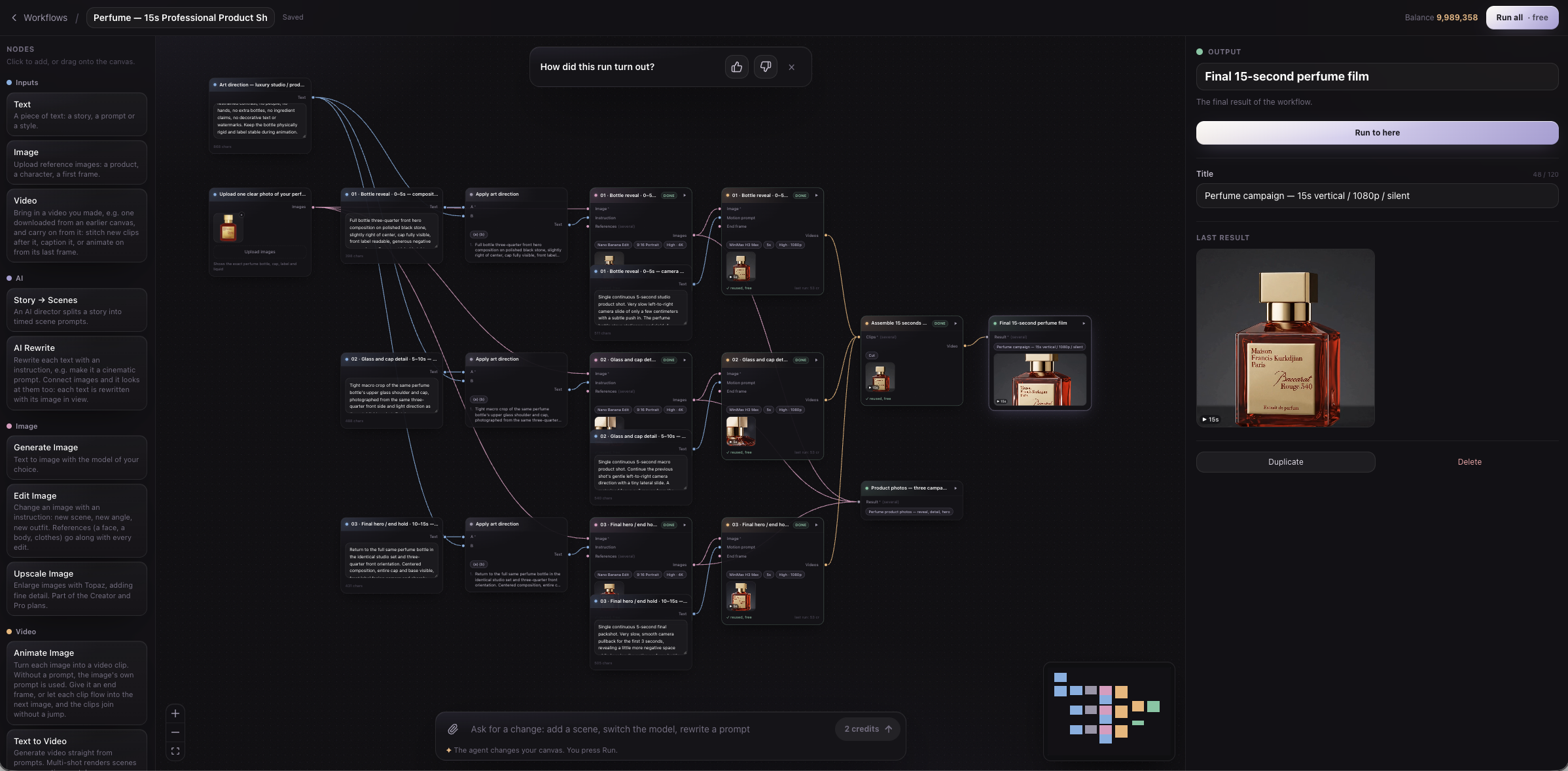
The reported turnaround covers the whole session: the initial request, canvas creation through MCP, the manual photo upload, image and video generation, and the final stitch. The screenshots show the canvas before the upload and after completion.
The result is a finished film and an editable workflow. The reference, prompts, shots and assembly remain together on the canvas, ready for the next product shoot.
Connect your AI assistant to Visuall →